
Risoni on iPhone
Keep your recipes, plan dinner, check your shopping list and cook one step at a time on your iPhone.
Start with one dinner
- Add a recipe or open a sample in Recipes.
- Tap Plan meal, then choose the day and servings.
- Open Shopping to check the amounts and omit anything you already have.
- Tap Cook from the planned meal to follow the steps with ingredients and timers nearby.
- Close cooking and reopen the recipe to resume. Use Finish cooking when you are done.
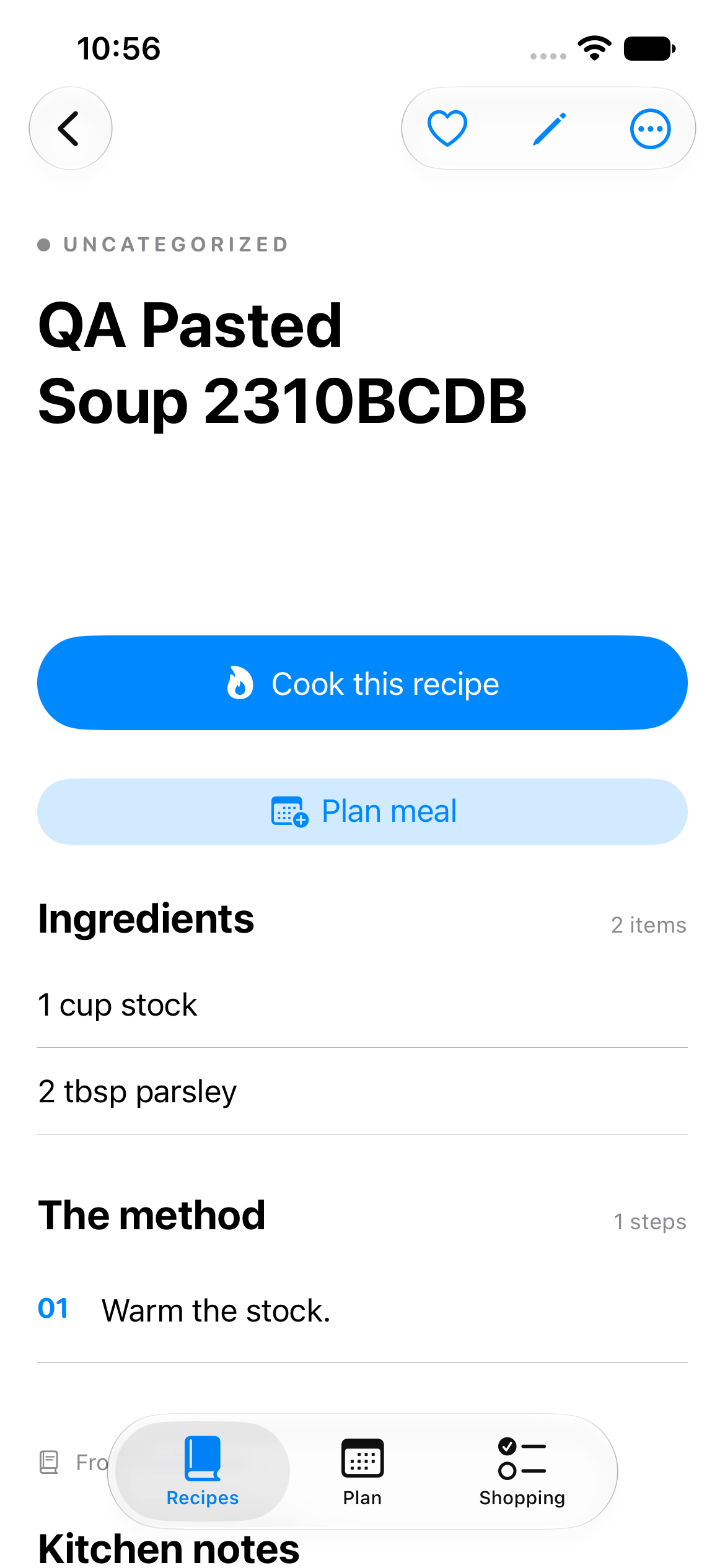
Start from a saved recipe. Tap Plan meal to choose when to make it, or Cook this recipe when you are ready.
Find your way around
Use the Recipes, Plan and Shopping tabs. Search Recipes by title or ingredient.
A kitchen is the library you are working in. Local kitchen saves on this device. A shared iCloud kitchen is separate: joining or creating one does not move your existing recipes automatically.
Getting access
The iPhone beta 0.1 (5) has been approved by Apple for TestFlight. This public guide does not provide an invitation; approval does not mean invitations have already been sent. Request access through the person who invited you; Adam must approve each tester before a private invitation is sent.
Follow Install and get started when your invitation arrives. Check the release notes and beta limits before you begin.
Make it your own
- Import recipes from text, supported websites, files or images.
- Plan meals for a chosen day and serving count.
- Shop with corrections, omissions and purchased checks.
- Cook with step-by-step instructions and named timers.
- Try a shared kitchen with another approved tester.
The screenshots use made-up recipes and may look slightly different from your version. For a first pass, follow the tester checklist. If something is confusing, send a short report.